Nick Academy
Nick AcademyEducational
2.846.00 Reviews
- Version
- 1.18.17
- Installs
- 100.00K
- Age Rating
- Everyone
Screenshots
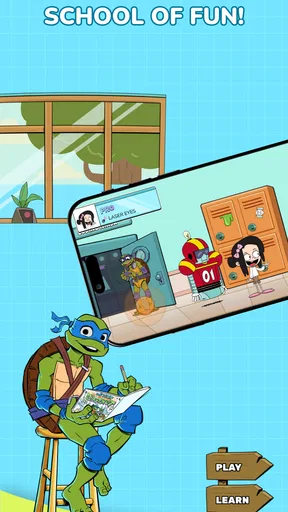
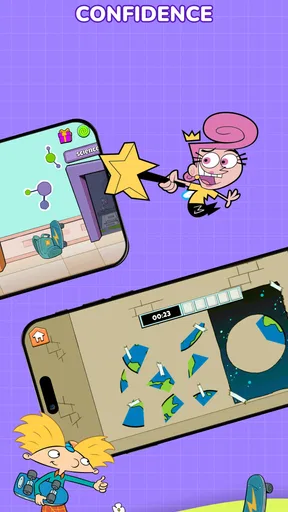
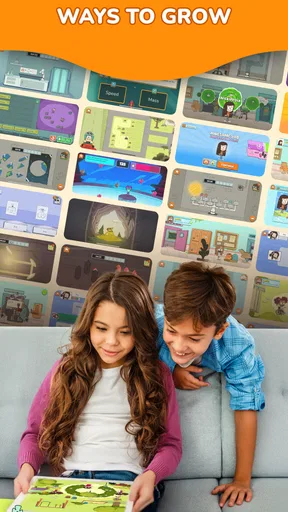
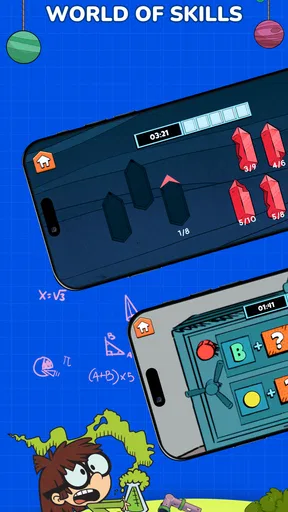
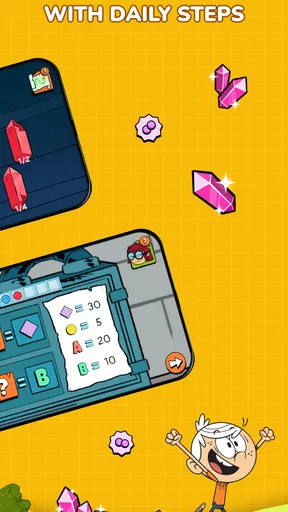

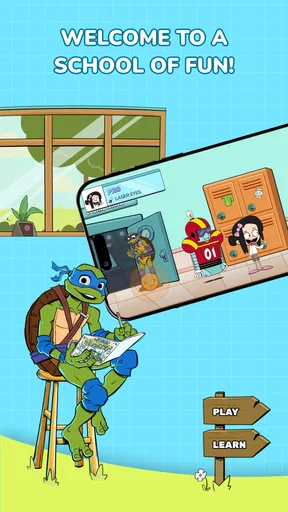
Our Review of Nick Academy
 Analysis by Appyee
I went into Nick Academy expecting a light educational game built around familiar Nickelodeon characters, and that is largely what it feels like: a friendly starting point for children who may be more willing to explore coding, science, math, and space when those subjects arrive through play. The first sessions are easy to approach, especially for a child who is not ready for a formal learning app or a traditional lesson.
What interested me more was whether that initial appeal could survive after the novelty of the characters wore off. Nick Academy is free to download, developed by Nick Academy, and aimed at Everyone. It has passed the 100K-plus install mark, which suggests that plenty of families have at least tried it. My overall reaction is mixed but useful: it can earn a place in a child’s routine when an adult gives it a clear purpose, but I would not treat it as a complete replacement for structured teaching.
From exciting first sessions to a workable learning habit
The strongest part of the experience is the low barrier to entry. A child does not need to begin with a textbook explanation of variables, formulas, planets, or scientific vocabulary. The game format makes those areas feel less intimidating, and the Nickelodeon connection gives the experience an immediate sense of familiarity. For a younger player, that emotional welcome matters more than an adult might expect.
I can imagine a realistic after-school use: a child finishes homework, opens the game for a short supervised session, and chooses an activity related to a subject that felt difficult earlier in the day. The app works best in that role, as a gentle second encounter with an idea rather than as the only explanation. A parent can then ask what the child tried, what answer was difficult, or what the activity was meant to teach.
The first-week appeal comes from variety. Coding, science, math, and space do not all feel identical, so the child can move to another subject when one activity becomes frustrating. That variety is also the main reason I would recommend trying it before buying a more specialized educational product. It offers a broad sampler rather than asking a family to commit immediately to one narrow subject.
There is a useful trade-off here. Broad coverage makes Nick Academy approachable, but it also means the experience may not go deeply into any single topic. A child who wants to master a particular programming concept or work through a carefully ordered mathematics curriculum will probably need another resource beside it. I see this game as an invitation to learn, not as a full course.
The current version is 1.18.17, and it runs on devices using Android 10 or later. That requirement is worth checking before a child gets excited about using it on an older phone or tablet. On a compatible device, the practical question is less about technical ambition and more about whether the child understands the activity as learning rather than simply tapping through a character-themed game.
How I would introduce it during the first week
I would avoid presenting it as a reward that replaces reading, homework, or outdoor play. Instead, I would set a small routine: choose one activity, play with attention, and explain one thing learned afterward. That simple conversation changes the app from passive screen time into a prompt for recall. It also reveals whether the child is genuinely understanding the material or only enjoying the visual layer.
For younger children, sitting nearby at the beginning is especially helpful. The most valuable support is not giving answers. It is asking questions such as “What is the game asking you to notice?” or “Why did that choice work?” Those prompts encourage the child to connect the game action with the underlying concept.
One of my more practical tips is to rotate subjects deliberately instead of letting the easiest activity dominate every session. If a child always returns to a comfortable topic, the app can become entertainment with an educational label. A simple pattern—one familiar area followed by one less comfortable area—keeps the broader curriculum visible without turning the experience into a test.
Families should also discuss in-app purchases before handing over the device. The game is free, but individual in-app items range from $7.99 to $59.99. That is a substantial difference from the download price, particularly when a child is playing independently. I would make the purchase decision an adult task and explain clearly that seeing an appealing option does not mean it is part of the free experience.
What remains useful after the characters stop feeling new
Novelty fades quickly in children’s apps, so I judged the longer-term value by asking what remains once the character appeal becomes ordinary. The answer depends on the child’s learning style. If the child enjoys short challenges and likes switching between subjects, the variety can continue to support occasional practice. If the child needs visible progress, repeated explanation, or a predictable lesson sequence, the game may lose momentum sooner.
For month-to-month use, I would keep expectations modest. A few short sessions each week are more realistic than expecting daily enthusiasm forever. The app can become a useful part of a learning rotation that also includes books, schoolwork, experiments, and conversation. It is less convincing as a standalone habit because educational games often depend on the player bringing curiosity to them.
The broad subject mix creates a particularly good use case for discovery. A child who says, “I do not like science,” may respond differently when the same area appears through a game. That does not guarantee lasting interest, but it can lower the emotional resistance that often comes before learning. In my view, this is one of the product’s most meaningful strengths.
There is also value in using the app as a diagnostic conversation starter. Watch which tasks the child chooses, which ones they abandon, and which mistakes they can explain. That observation can help a parent identify whether the child needs more practice, simpler language, or a different teaching method. The game itself may not provide the full educational context, but it can reveal where a child’s attention naturally goes.
At the same time, I would not assume that repeated play equals steady academic progress. A child can become faster at navigating an activity without gaining a durable understanding of the subject. After a session, ask the child to describe the idea without looking at the screen. If the explanation disappears immediately, pair the game with a real-world example or a short offline exercise.
The maintenance work families should expect
Nick Academy is not a set-and-forget learning tool. Its maintenance burden is fairly ordinary, but it is still real. An adult needs to check that the device meets the Android requirement, manage access to purchases, and decide when the game fits into the family’s screen-time rules. Those steps are small individually, yet they determine whether the app remains helpful or becomes a source of arguments.
I would also review the game’s place in the child’s overall routine every few weeks. Is the child still choosing it voluntarily? Are they exploring more than one subject? Can they talk about what they played? If the answer to all three becomes no, keeping the app installed simply because it was once exciting does not create educational value.
A good maintenance habit is to connect each session to something outside the app. After a space-related activity, look at the night sky or read a short astronomy passage. After a math challenge, use the idea while cooking or shopping. After a coding-oriented activity, ask the child to describe the instructions as a sequence. These follow-ups cost little and make the game’s learning more durable.
Parents should also be honest about attention. If a child is tired, hungry, or already overloaded with schoolwork, the game may not produce meaningful learning even if the child is smiling. Shorter sessions can be better than pushing through frustration. The goal is not to maximize time inside the app; it is to make the time worthwhile.
The developer is Nick Academy, and the game’s free entry point makes experimentation easy. Still, the paid items mean that the family’s maintenance role includes financial boundaries. I would not give a child unrestricted purchasing access merely because the initial download costs nothing. That is not a criticism unique to this game, but here the wide price range makes advance planning especially sensible.
Where fatigue begins and who may lose interest
The same character-driven presentation that attracts a child can eventually feel repetitive. Once the familiar faces stop providing a fresh reason to open the game, the underlying activities have to carry the experience. Children who prefer stories, open-ended creativity, or physical experiments may decide that the game feels too guided. Others may want harder challenges than the broad educational format provides.
The average rating is 2.8 from around 253 ratings, so I would approach the product with realistic expectations rather than assuming every family will find it polished or lasting. That score does not tell me exactly which experience each player had, but it is a useful reminder that the game will not be a universal fit. I would test it with the intended child and pay attention to their response instead of relying only on the recognizable brand.
Another possible source of fatigue is the gap between a child’s age and their actual learning level. The Everyone rating makes the app broadly accessible, but children of the same age can need very different levels of explanation. A child who already feels confident in math or science may find introductory activities too easy, while a child who needs slower instruction may require an adult to translate what is happening.
This is where the usual alternatives can be better. A dedicated coding platform is likely the stronger choice for a child who wants a sustained programming path. A structured math app may be preferable when a parent wants tightly sequenced practice and clearer skill progression. Books, classroom resources, and hands-on kits can offer more depth in science and space. Nick Academy’s advantage is the combination of subjects and character-led accessibility, not specialization.
I would also skip it if the main goal is independent, measurable academic study. The child may play alone, but meaningful progress still benefits from occasional adult attention. Families looking for detailed reporting, a formal curriculum, or a tool designed around one school standard should compare it with purpose-built alternatives before settling in.
For children who reject traditional learning materials, however, the trade-off changes. A broad game that gets them curious may be more useful than a rigorous app they refuse to open. That is the situation in which I think Nick Academy earns its space most convincingly: not as the final educational destination, but as a bridge between entertainment and a subject the child has been avoiding.
Does it earn a lasting place?
My long-term verdict is cautiously positive. Nick Academy is worth trying for families who want a free, character-friendly way to introduce coding, science, math, and space. It is especially suitable for a child who responds to playful presentation, benefits from changing subjects, or needs a low-pressure way to revisit school ideas.
I would keep it installed only if it continues to support a clear routine. The lasting value comes from how the family uses it: short focused sessions, occasional discussion, adult control over purchases, and real-world follow-up. Without those habits, the app risks becoming another briefly exciting game that is opened less often once the characters feel familiar.
The product’s limitations are equally clear. It is not the best choice for advanced learners, children who need a deep single-subject course, or parents who want a complete replacement for teaching. The modest average rating also encourages a trial-first approach. Because the download is free, trying it is reasonable; because in-app items can be expensive, continuing should be a deliberate family decision.
In the end, I would recommend Nick Academy as a flexible learning companion rather than a primary curriculum. Its strongest contribution is making several intimidating subjects feel approachable at the moment a child might otherwise turn away. If that first spark leads to questions, experiments, reading, or more serious study, the game has done something valuable. If the novelty fades and nothing remains beyond tapping through familiar activities, it is time to move on to a more focused alternative.
My practical recommendation: give it a short trial with an adult nearby, choose activities across more than one subject, and judge success by what the child can explain afterward—not by how long they stay on the screen.
Verdict
Strengths of Nick Academy
- Short lessons make it easy to study in spare moments.
- Clear explanations help beginners understand core concepts.
- Progress tracking encourages consistent learning habits.
- Works well for independent, self-paced study.
- Useful practice activities reinforce the material.
Limitations of Nick Academy
- Some advanced topics may feel too brief for experienced learners.
- Certain features may require an active subscription.
- Progress can depend heavily on regular self-motivation.
- The course selection may not suit every learning goal.
- Some exercises may become repetitive over time.
Similar Picks in This Category
View All
Little Panda Policeman
BabyBus4.0

Monster Trucks Game for Kids 2
Raz Games4.1

Little Panda's Chinese Recipes
BabyBus4.4

Little Panda's Restaurant
BabyBus4.4

Little Panda's Ice Cream Games
BabyBus4.3

Baby Panda Care
BabyBus3.8
Frequently Asked Questions
What is Nick Academy, and what can children do in the app?
Nick Academy is an educational learning app designed to make study time more engaging for children through interactive activities, lessons, quizzes, and practice exercises. Depending on the available version and region, it may cover subjects such as mathematics, reading, science, languages, or general knowledge. The app combines colorful visuals and game-like progress systems to encourage children to learn at their own pace.
Is Nick Academy suitable for my child’s age and learning level?
Before downloading Nick Academy, parents should check the age recommendation and supported school levels shown on the official app store page. Educational content can vary by country, language, and curriculum, so the lessons may not match every child’s classroom program exactly. Younger users may need help creating an account, choosing subjects, understanding instructions, or navigating certain activities.
Does Nick Academy require an internet connection or offer offline learning?
Nick Academy may require an internet connection for registration, account synchronization, updates, advertisements, online features, or downloading new educational content. Some lessons might remain available offline after they have been downloaded, but this depends on the app version and device. It is best to open the app while connected to Wi-Fi and verify which activities continue working without mobile data.
Is Nick Academy free to download, and are there in-app purchases?
The download may be free, but some educational courses, advanced activities, subscriptions, or additional content could require payment. Parents should review the current Google Play or App Store listing because pricing, trial periods, and available features can change by region. To avoid unexpected charges, use parental controls and check whether purchases are protected by a password or biometric confirmation.
Is Nick Academy safe for children and does it collect personal information?
Parents should review Nick Academy’s privacy policy and the permissions requested during installation before allowing a child to use it. Check whether the app collects account details, learning progress, device information, or usage data, and whether it includes advertising, external links, chat, or social features. Downloading only from the official app store and keeping the app updated can improve safety.
Play our best games!


